Code editor · Reverse-engineering workbench

The code editor that reads binaries.

Reflet is a native editor written in Zig and drawn on the GPU. Open a project and you have language servers, git and a terminal. Open a binary and you have a control-flow graph, IL, pseudo-C, an emulator and a debugger that rewinds. Same window, same keys.

macOS (Apple silicon and Intel) and Linux x86-64. Installs and updates through Volière.

Reflet's graph view of the function dispatch in an x86-64 ELF: basic blocks as cards joined by red, green and blue edges for false, true and unconditional branches, the symbol list on the left and a minimap in the corner.

Reverse engineering

A workbench for the binary in front of you

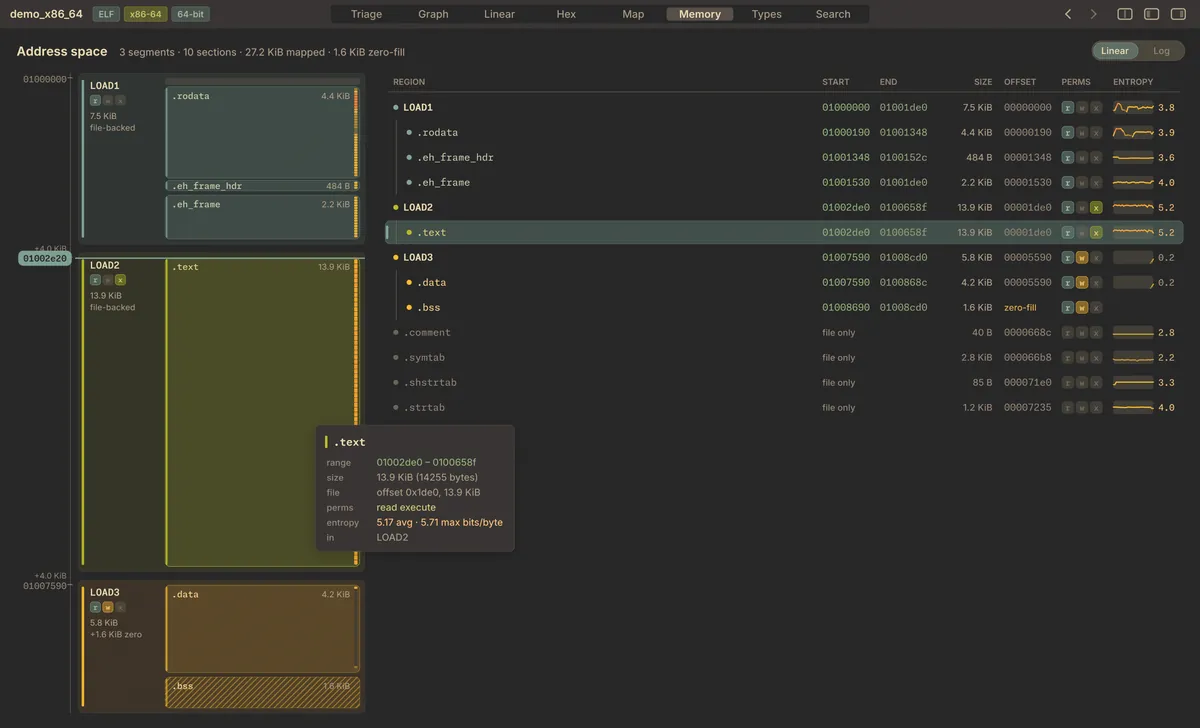
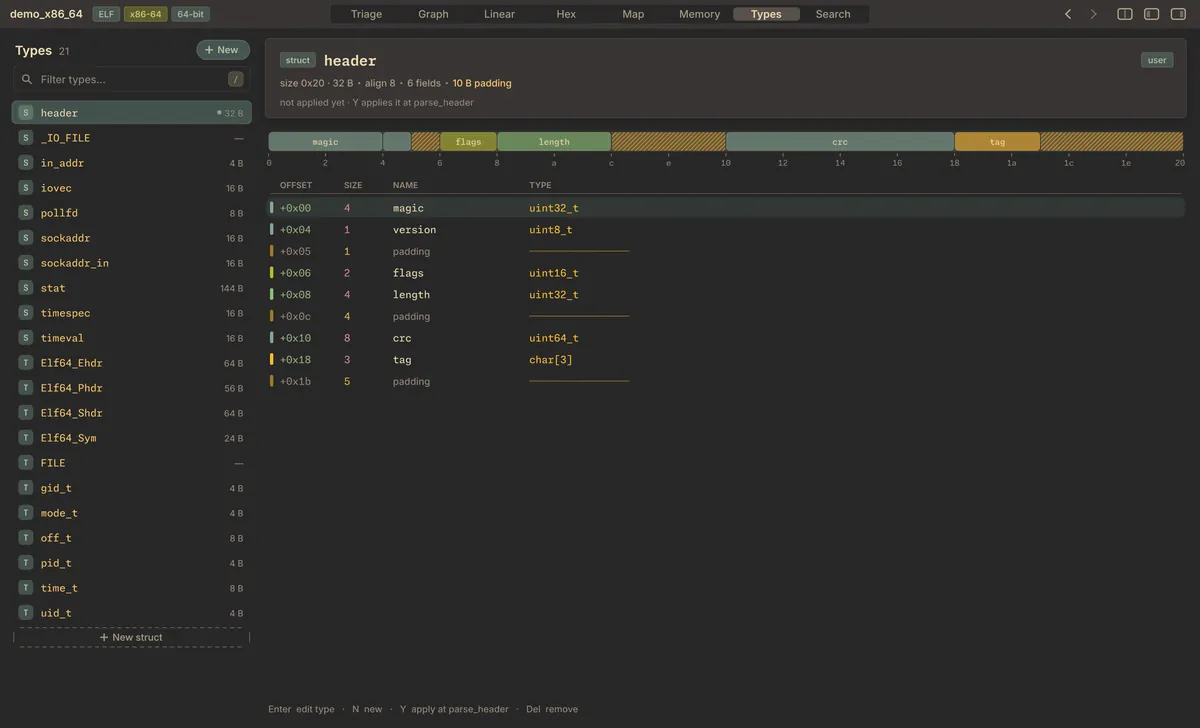
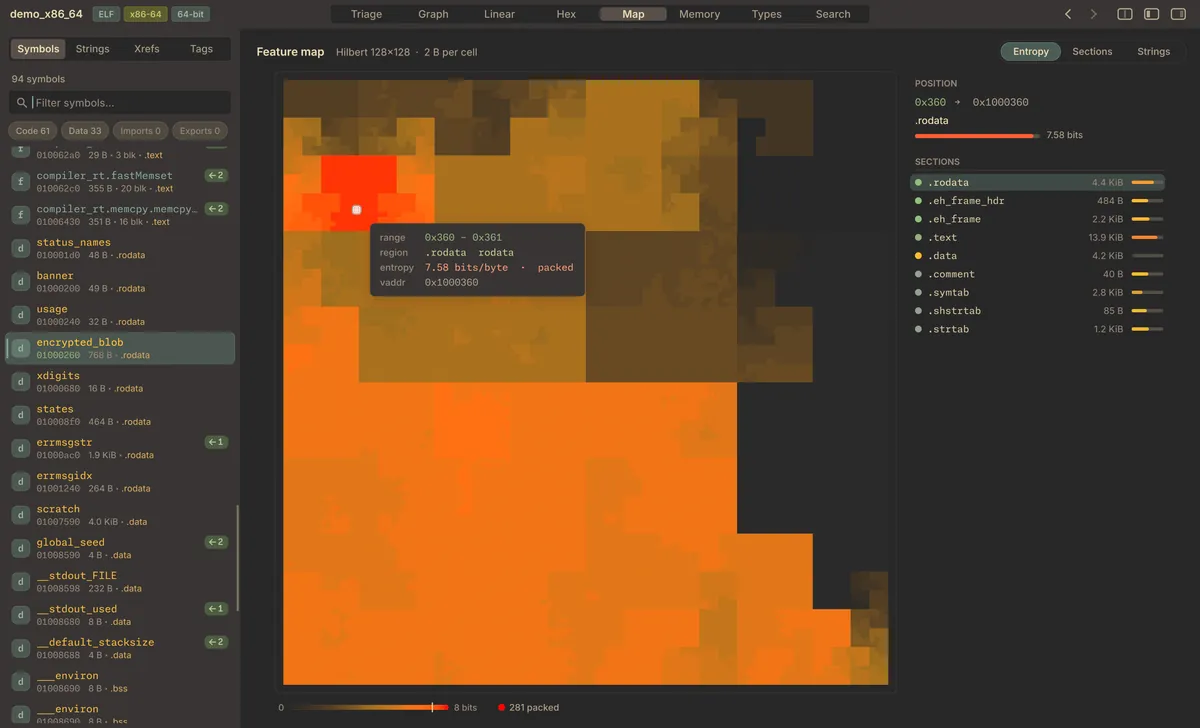
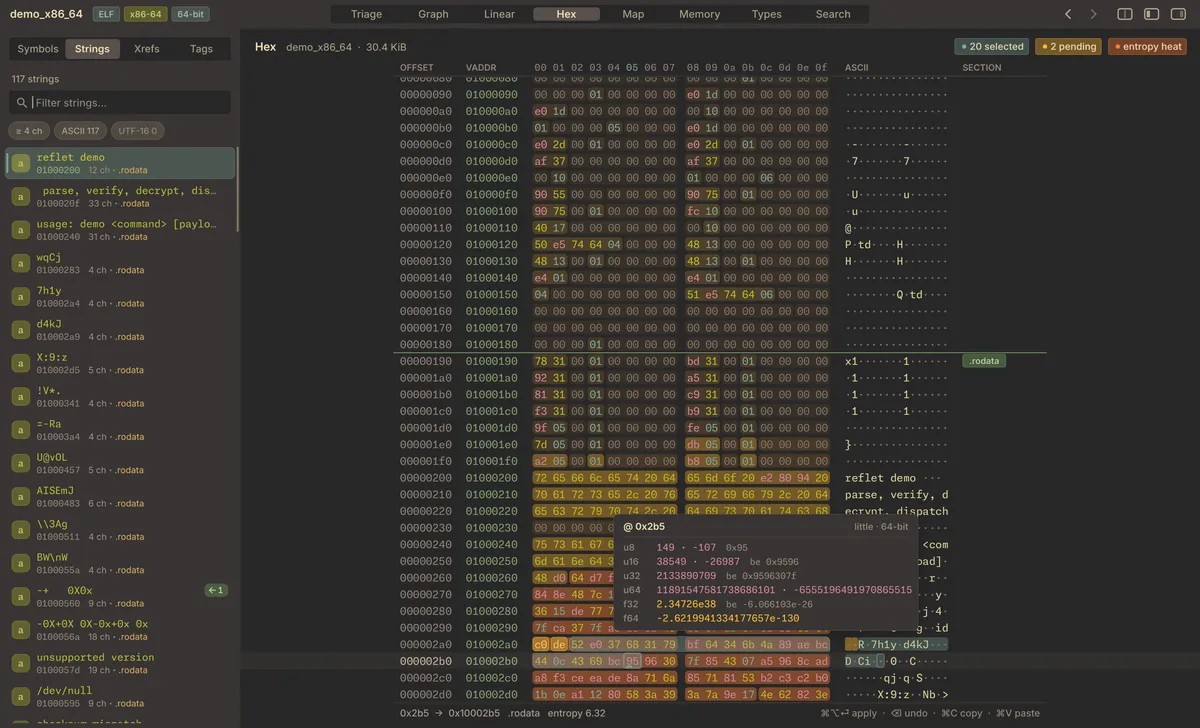
Open an ELF, PE or Mach-O file and Reflet maps it, finds the functions, follows cross-references and lifts the code to its own IL. Eight views share one analysis: Triage, Graph, Linear, Hex, Map, Memory, Types and Search.

Triage first

Size, entry point, sections with their entropy, the biggest functions, strings and imports on one page. A CTF quick-triage pass ranks XOR loops, crypto constants and high-entropy blobs by how interesting they look. Click any card to jump there.
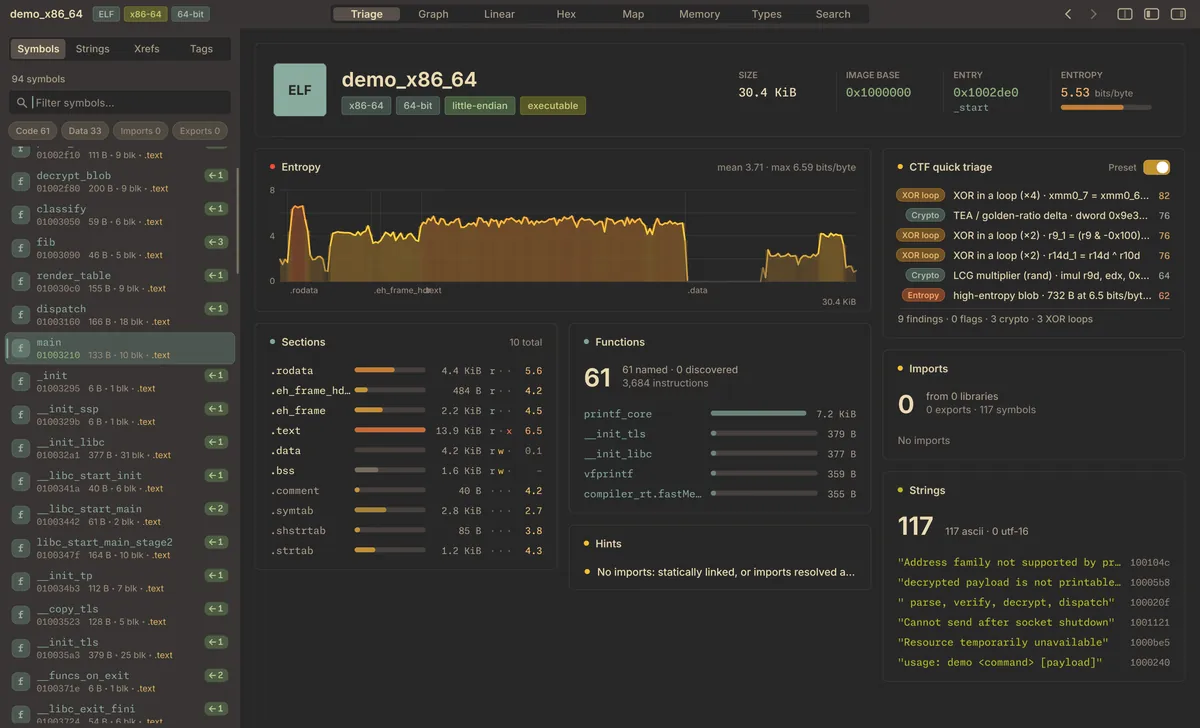
Triage view of demo_x86_64: an entropy chart across sections, a section table, function sizes, string list and CTF findings such as XOR loops and a TEA constant.

Disassembly, IL and pseudo-C, side by side

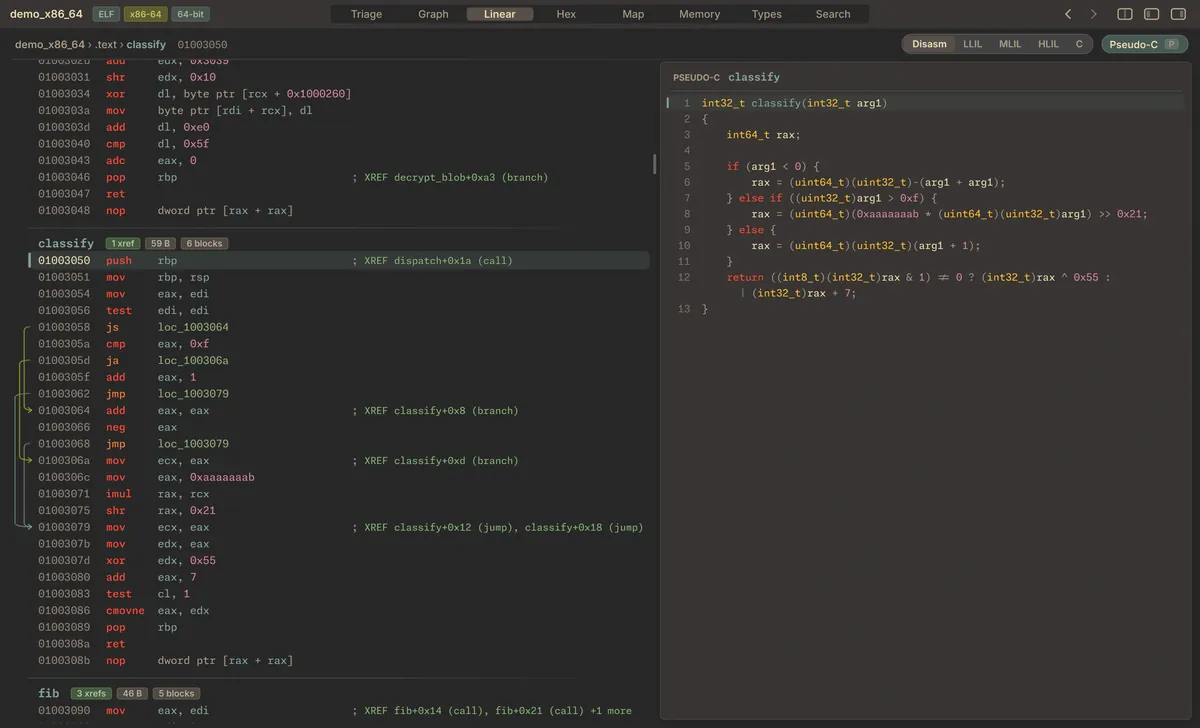
x86-64, AArch64 and Thumb-2 lift through low, medium and high-level IL, with SSA forms, down to pseudo-C. The listing and the decompiled pane follow each other. Calling conventions come from the file format, and jump tables are recovered.

Disassembly also covers x86, ARM, MIPS, PowerPC and RISC-V. Architecture plugins can add more.

Linear view of the function classify: disassembly with branch arrows and cross-reference comments on the left, its pseudo-C on the right.

Patch with a preview

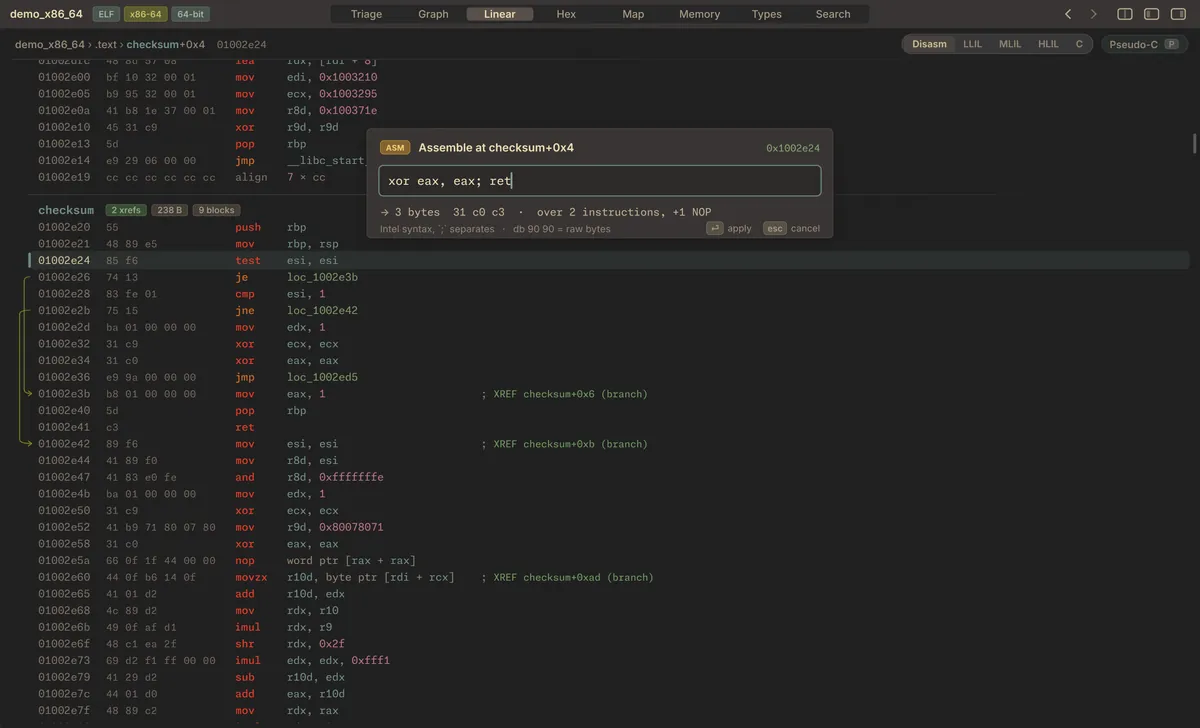
Type an instruction and see its bytes, and what it overwrites, before you apply it. Flip a branch, XOR a range in the hex view, rename, comment and set types as you go. Saving writes a new file: Reflet never overwrites the binary you opened.

An assemble prompt over the linear view at checksum+0x4: the input xor eax, eax; ret becomes 3 bytes, 31 c0 c3, replacing two instructions plus one NOP.

Emulate, record, rewind

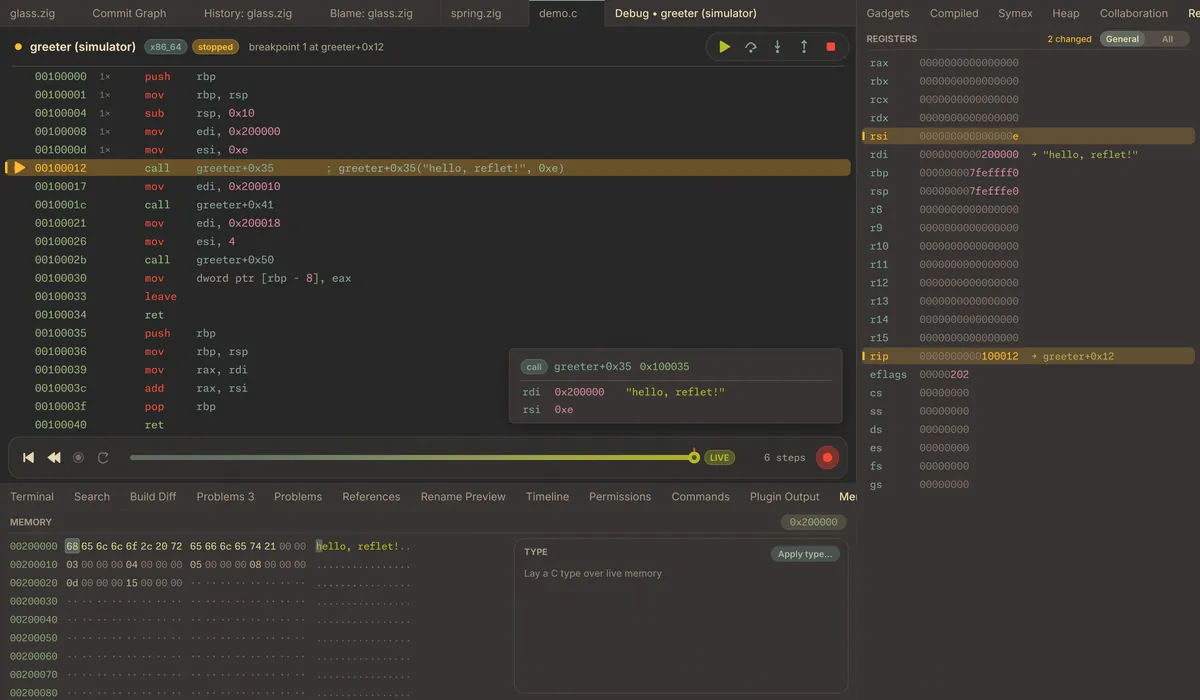
The emulator runs Reflet's own IL for x86-64 and AArch64. Call a function with arguments, take snapshots, record every step and scrub back through them. The RE debugger does the same against a live process (through debugserver on macOS), with typed memory, a stack view and a link back to the static analysis.

The RE debugger stopped at a call: disassembly with a step timeline, registers with changed values highlighted, and the memory pane showing the string hello, reflet!

A query language for binaries

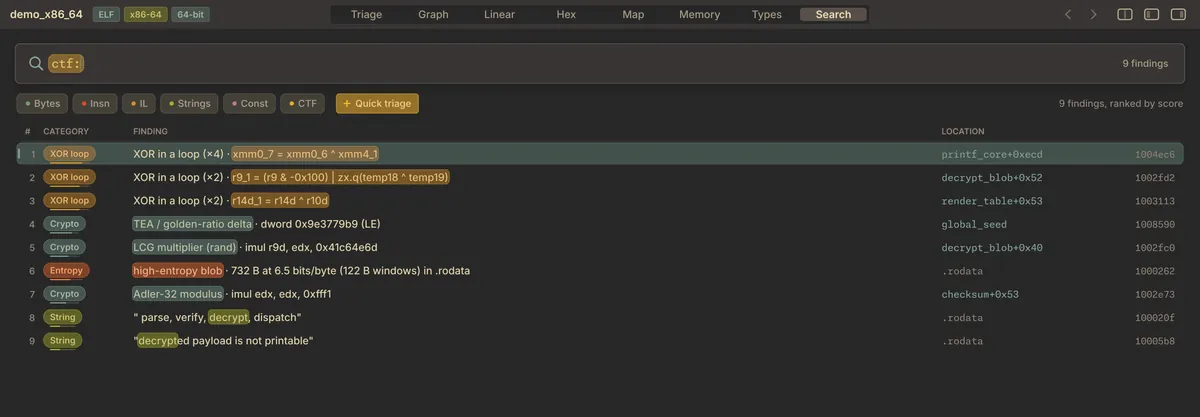
Search bytes with wildcards, instructions, IL patterns, constants and flag patterns from one query bar. Results are ranked and every hit links to its location.

The Search view running ctf: nine findings ranked by score, including XOR loops, a TEA golden-ratio delta, an Adler-32 modulus and suspicious strings.

Editor

Still an editor first

Tree-sitter highlighting, multiple cursors, language servers, git, a terminal and a source debugger, in flat chrome that keeps out of the way. Gruvbox dark and light by default, Rosé Pine and Reflet's own themes built in, more as plugins.

Language servers, all of it

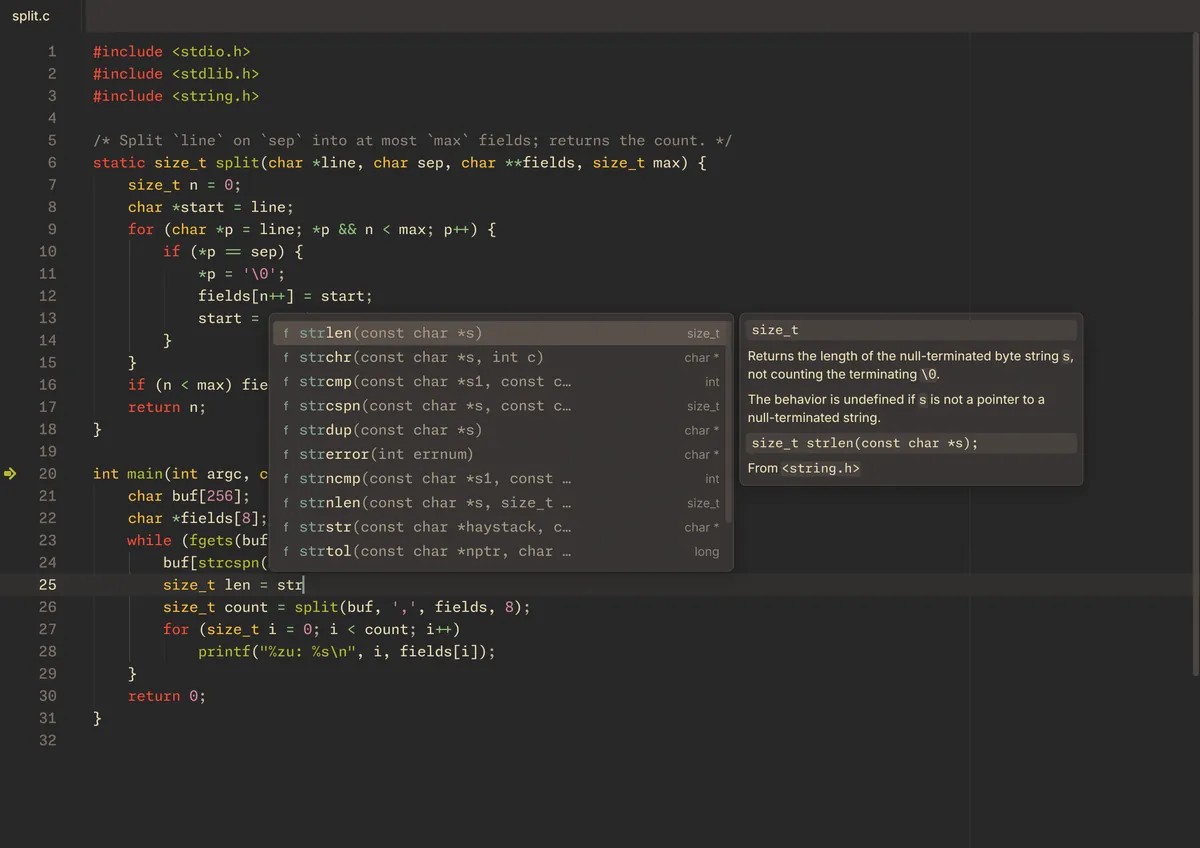
Diagnostics, hover, completion, signature help, inlay hints, semantic tokens, references, rename with a preview, code actions, symbols and format on save.

Completion in a C file: a list of string functions from string.h with the documentation for strlen beside it.

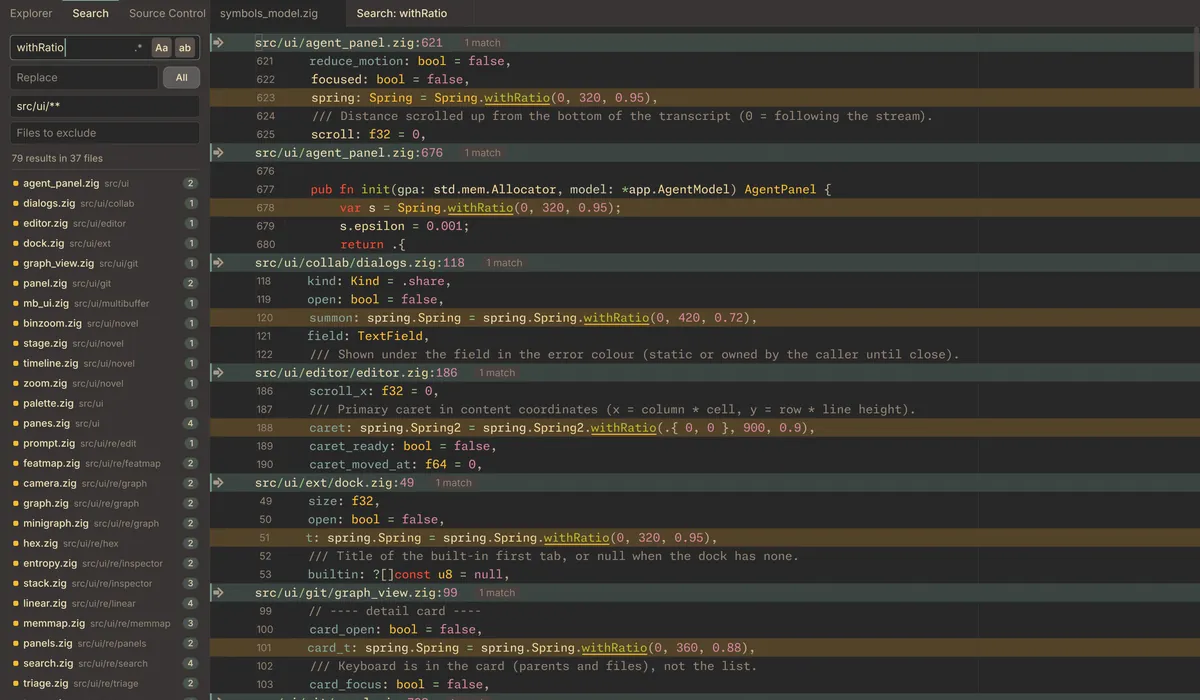
Search and replace across the project, in one buffer

Results open as a multibuffer: excerpts from every file, editable in place, written back to their sources. Diagnostics work the same way.

Project search for withRatio: 79 results in 37 files shown as editable excerpts, with the match list on the left.

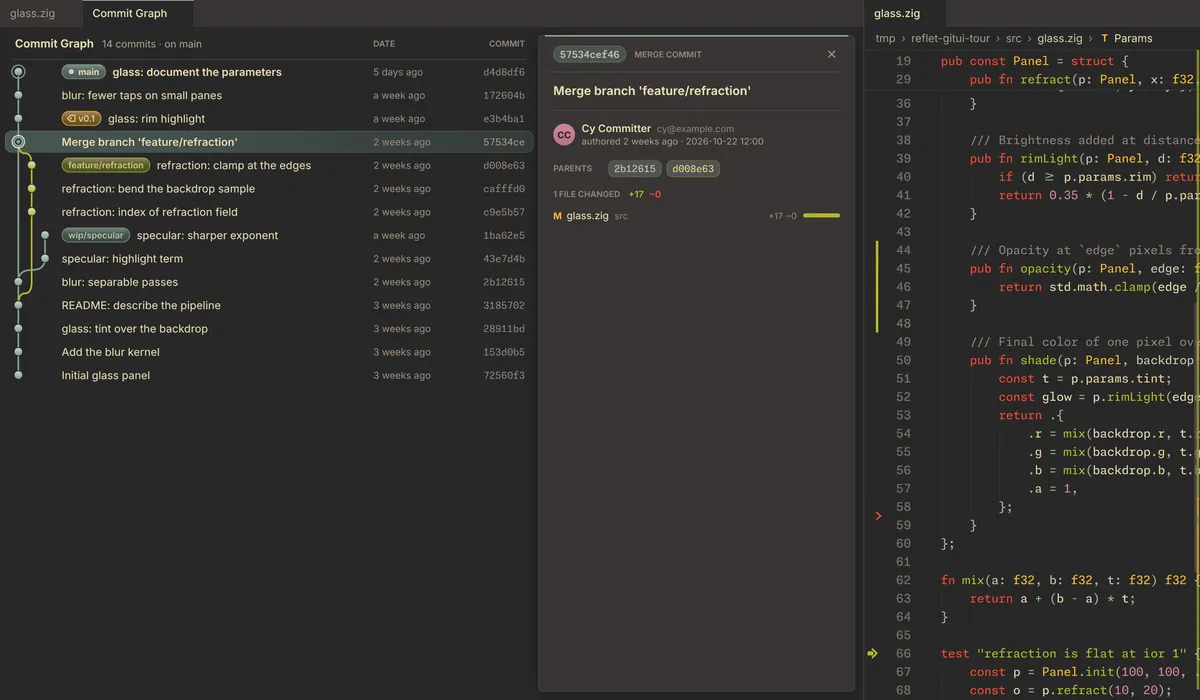
Git without leaving

Hunks in the gutter with a peek, inline blame, a commit panel, branches, the commit graph and file history.

Commit graph with branches and tags, a merge commit open in a detail card, and the changed file beside it.
  • Vim and Helix keys. Ex commands, :s, marks, dot-repeat, link hints and which-key.
  • Terminal and tasks. A terminal dock, and tasks whose problem matchers feed the problem list.
  • Source debugging. Breakpoints, call stack, variables, watches and inline values over DAP.
  • Working together. Shared editing with peer cursors, follow mode and comments; a remote explorer.
  • Coding agents, if you want them. Bring one over the Agent Client Protocol. Its commands run sandboxed, its edits arrive as diffs you accept or reject, and one setting turns AI off.
  • Reading tools. Semantic zoom, presentation and prose modes, churn heat, a timeline and macros.
  • Your $EDITOR. reflet --wait opens a file and returns when you close it.
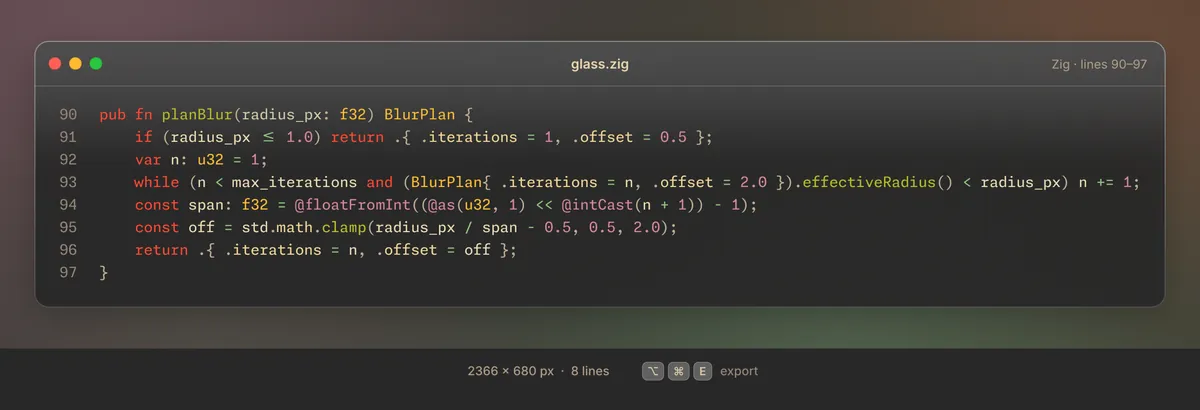
A code image of eight lines of Zig, framed as a window card, with its pixel size and the export shortcut below.
Export a selection as a code image, rendered by the same GPU text engine as the editor.

Plugins

Plugins that ask first

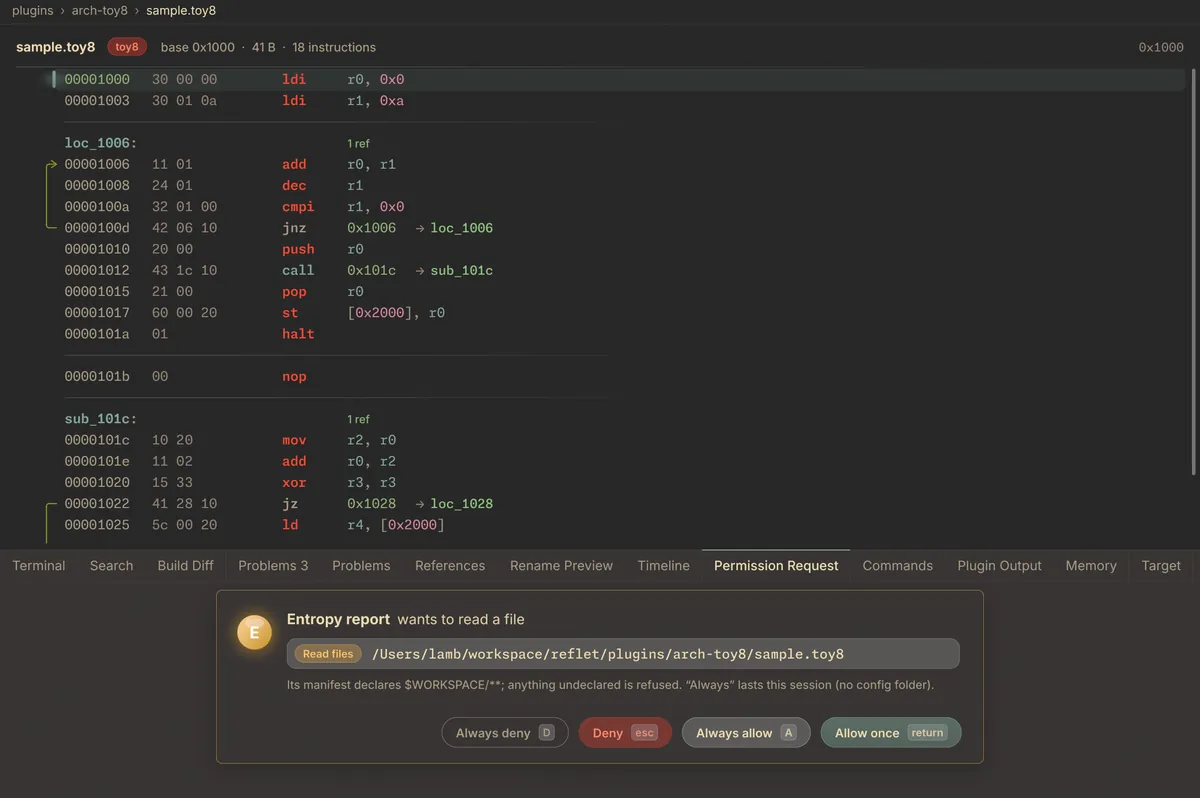
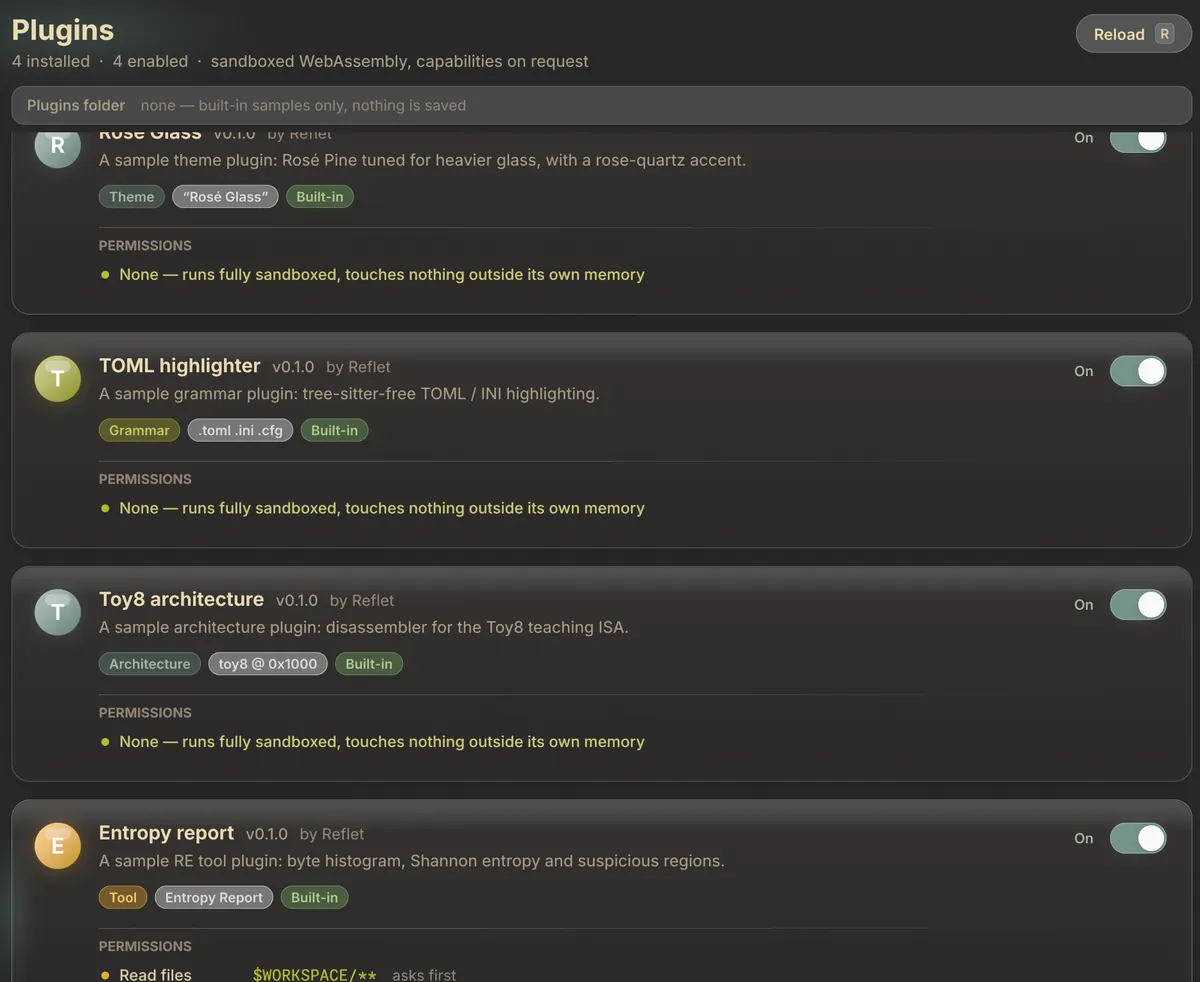
A plugin is a WebAssembly module that adds a theme, a grammar, an architecture or a tool. Reflet runs it in its own interpreter, with a fuel limit on every call, and gives it nothing it did not ask for.

A Toy8 architecture plugin disassembling a sample file, and below it a permission request: the Entropy report plugin wants to read a file, with Always deny, Deny, Always allow and Allow once buttons.
  1. The manifest declares. Paths it may read or write, hosts and ports it may reach, processes it may start.
  2. You decide. Each real request gets a prompt: allow or deny, once or always. Your answers live in a grants file you can read.
  3. Everything else is refused. Undeclared access fails without a prompt, and no plugin can write to its own grants or to another plugin.
id = "reflet.entropy"
name = "Entropy report"
kinds = ["tool"]

[capabilities]
fs_read = ["$WORKSPACE/**"]

Plugins are written against a small pointer-and-length ABI; the SDK that ships with Reflet is in Zig.

The Plugins page: four built-in sample plugins (a theme, a TOML grammar, the Toy8 architecture and the Entropy report tool), each with its permissions listed.

Install

Installs through Volière

Volière is the Flock app hub. It installs Reflet, signs it in with your Flock ID and keeps it up to date.

  1. Subscribe. Get Reflet with your Flock ID, or create one on the way.
  2. Install Volière. Download Volière for your computer.
  3. Sign in and install Reflet. Sign in to Volière with the same Flock ID, then install Reflet from the list.
  4. That's it. Volière installs new versions of Reflet as they are released.

Platforms

macOS
Apple silicon and Intel
Linux
x86-64
Windows
Not yet

Pricing

One plan, everything in it

No tiers and no add-ons. The reverse-engineering tools, the editor, plugins and every update while you are subscribed.

Reflet

$50 per year

  • All of Reflet, and every update while you are subscribed
  • Up to 3 devices; move a license from your Flock account
  • macOS and Linux
  • Works offline for up to 7 days at a time
Subscribe

A subscription is required to download and use Reflet.

FAQ

Questions

What counts as a device?

Each computer where you sign in to Reflet. Up to three can be active at once. You can see them, and release one, under Products in your Flock account. Signing out of Reflet releases that computer too.

Does Reflet work offline?

Yes. Each device holds a signed license lease that is good for 7 days and renews itself whenever you are online. Past that, Reflet needs to reach Flock ID once before it opens again.

What happens if my subscription ends?

Reflet locks until you subscribe again. Your projects and .reflet analysis databases are ordinary files on your disk and stay yours.

Is there a Windows version?

Not yet. Reflet ships for macOS (Apple silicon and Intel) and Linux x86-64.

What leaves my machine?

Analysis, decompilation and signature matching run locally. Reflet checks your license with Flock ID. Collaboration sessions and coding agents only run when you start them, and agents can be turned off entirely in settings.

Can I write my own plugins?

Yes. Drop a folder holding a plugin.toml and its .wasm module into Reflet's plugins folder and it appears on the Plugins page. Reflet ships sample plugins for each kind: a theme, a grammar, an architecture and a tool.